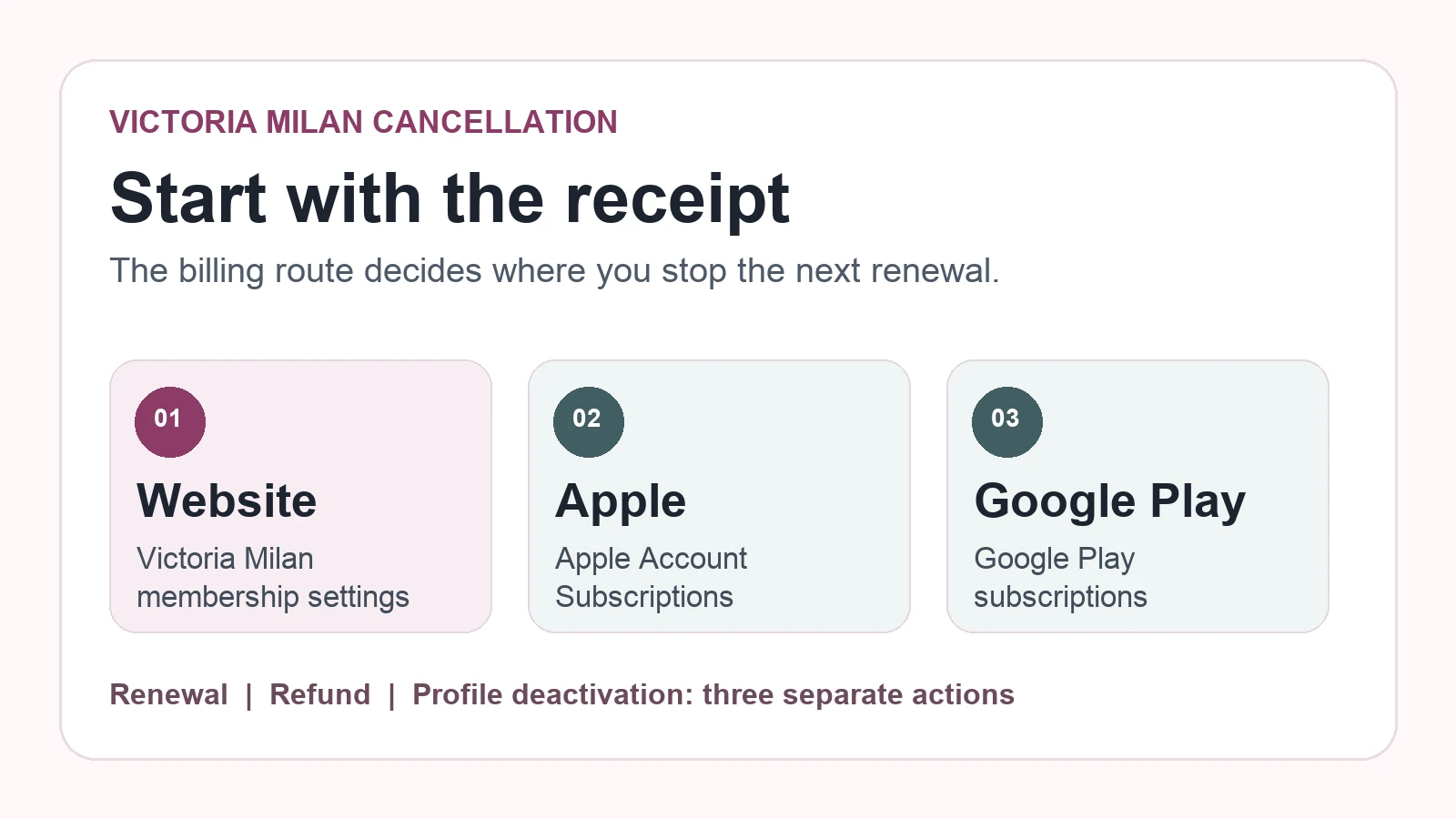
To cancel a Victoria Milan subscription, first identify who billed you. A website purchase is managed through Victoria Milan; an in-app purchase billed by Apple or Google is managed through that store. Stopping the next renewal, asking for a refund and deactivating your profile are separate actions. The original receipt is the best starting point.
This guide compares Victoria Milan’s published help pages and terms with Apple and Google’s instructions, checked November 5, 2026. We have not bought a membership or tested a paid-account cancellation. The terms attached to your country, plan and checkout may differ. If a charge is approaching, act through the applicable billing route now and save the confirmation.
Find who billed your Victoria Milan subscription
| Receipt or subscription entry | Stop renewal at | Ask about a refund at |
|---|---|---|
| Victoria Milan website or website payment processor | Victoria Milan membership settings or support | Victoria Milan support |
| Apple App Store in-app purchase | Apple Account > Subscriptions | Apple refund request |
| Google Play in-app purchase | Google Play subscriptions | Google Play refund request |
Do not infer the billing route from the device you use today: you could have paid on the website and later opened the iPhone app. Check the receipt, store subscription list and card statement. Victoria Milan’s U.S. terms send in-app purchase cancellations to the applicable store; its English renewal help page says support cannot switch off Apple- or Google-linked renewal.
Stop Victoria Milan renewal through the right billing provider
Cancel a Victoria Milan website purchase
Victoria Milan’s English Help Center says to log in, open Settings, choose Edit next to My Membership, click the date beside Membership Expires on, click the date again in the new window and choose Cancel recurring. Labels may vary by account or site version. Continue until the membership status or a confirmation clearly shows that recurring billing is off; merely opening the settings page does not cancel anything.
The U.S. website terms state a minimum 14 days’ notice before the paid term ends, unless a different period was specified when buying. They say late notice may permit a charge for the following term. The EU terms give 14 days for some shorter plans and 28 days for certain longer plans, again subject to purchase terms. One deadline is therefore not universal. Read your checkout terms and act well ahead of the displayed renewal date.
If the online control fails, the U.S. terms describe an email route that includes a written, signed cancellation declaration from the registered address and specified account details. Follow the instructions applicable to your purchase. Do not email a password or full payment-card number. Ask support to confirm the effective date and whether any further charge is scheduled, and keep their reply.
Cancel an Apple-billed Victoria Milan subscription
Apple’s subscription guide says to open iPhone Settings, tap your name, choose Subscriptions, select the subscription and tap Cancel Subscription. Apple says an absent cancel button or a red expiration message can mean the subscription is already cancelled. Victoria Milan’s Apple-payment help points to this route. If the plan is missing, check the Apple Account that made the purchase and the receipt before assuming no plan exists.
Cancel a Google Play-billed Victoria Milan subscription
Google’s subscription guide says to open Google Play subscriptions under the purchasing Google Account, select the plan, choose Cancel subscription, then finish the confirmation prompts. Google explicitly says uninstalling an app does not cancel its subscription. Save the final status or confirmation email.
Victoria Milan refunds and renewal notices have different deadlines
The two “14-day” references in Victoria Milan’s U.S. material answer different questions. Its website subscription renewal notice is counted backward from the end of a paid term. Its U.S. refund help page describes a request within 14 days of purchase and a prorated refund for unused service. Switching off a future renewal does not itself establish a refund for the current term.
The public wording is not perfectly consistent. A general English refund page says a buyer may have waived a withdrawal right by accepting immediate access. The U.S. terms say termination alone does not entitle a member to reimbursement, while a separate refund section describes prorated calculations and applicable cancellation periods. These may concern different transactions, but the pages cannot establish your outcome. Check the locale and checkout text attached to your purchase, submit any refund request promptly and ask for a written decision citing the policy used. Do not assume a full money-back guarantee.
If Apple billed you, use Apple’s refund request route. If Google Play billed you, use Google Play’s refund route. Eligibility and decisions are separate from Victoria Milan’s website billing process. If another charge has already posted, stop future renewal first, then separately ask about that charge with your receipt, cancellation timestamp and support correspondence.
Deactivating a Victoria Milan profile does not stop billing
Victoria Milan’s deactivation help page says deactivation is temporary and does not switch off premium auto-renewal. If you want to stop paying and remove your profile, verify the subscription state first, then use the separate profile or deletion process. A hidden profile is not a cancellation receipt.
Keep proof of your Victoria Milan cancellation request
A screenshot of a button is weak evidence if the subscription status never changed. Record four facts: who billed you, when you requested cancellation, what the plan now shows, and when access or billing ends. Save the purchase receipt and terms, the cancellation confirmation, any support case number, and the next statement after the expected renewal date. This is our editorial checklist, not a guarantee of the provider’s decision.
If a deadline is close or account access fails, contact the billing provider through its official support channel. State separately that you want recurring billing stopped and, if applicable, that you request a refund. Identify the transaction without sending a password or full card number. Ask for both decisions and effective dates in writing. Our Victoria Milan review covers the product’s paid features and privacy claims.
Common questions about cancelling Victoria Milan
Can I cancel by deleting the app?
No. Google explicitly says uninstalling does not cancel a Play subscription, and Victoria Milan treats subscription cancellation separately from profile deactivation. Follow the billing route on your receipt.
Does cancellation stop the current paid period immediately?
Do not assume that it does. Check the confirmation and your purchase terms. Turning off renewal concerns a future charge; early termination and a refund require separate answers.
Why is Victoria Milan missing from my Apple or Google subscriptions?
Check the account that made the purchase and the original receipt. You may have paid on Victoria Milan’s website even if you later used its app. Contact the billing provider if the records still disagree.
Is there always a 14-day refund?
No universal promise follows from the public pages. U.S. help describes a purchase window and prorated calculation; another English help page describes a waiver tied to immediate access. Store purchases have store processes. Location, checkout terms and transaction details matter.